start-of-selection. data: l_off type i, l_len type i, l_dir type string, l_ch. l_dir = ip_dir. condense l_dir no-gaps. l_off = strlen( l_dir ) - 1. l_ch - l_dir+l_off(1). if l_ch <> '\'. concatenate l_dir '\' into l_dir. endif.
data: begin of ls_reposrc, progname type progname, end of ls_reposrc, lt_reposrc like table of ls_reposrc.
select progname into table lt_reposrc from reposrc where progname in is_pgmnm and r3state = 'A'.
data: begin of ls_lines, txt(300), end of ls_lines, lt_lines like table of ls_lines, l_filenm type string.
loop at lt_reposrc into ls_reposrc. clear lt_lines[]. read report ls_reposrc-progname into lt_lines. concatenate l_dir ls_reposrc-progname '.abap' into l_filenm.
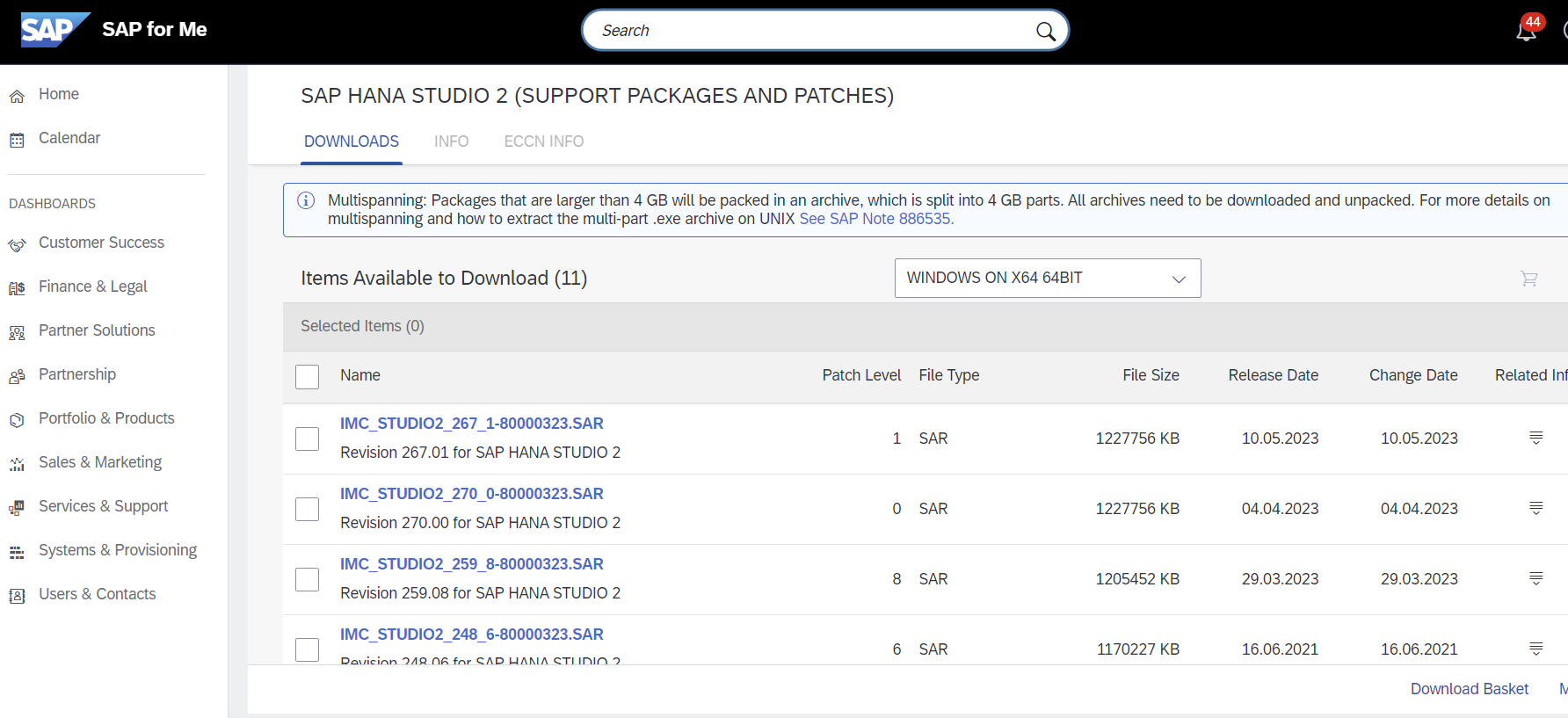
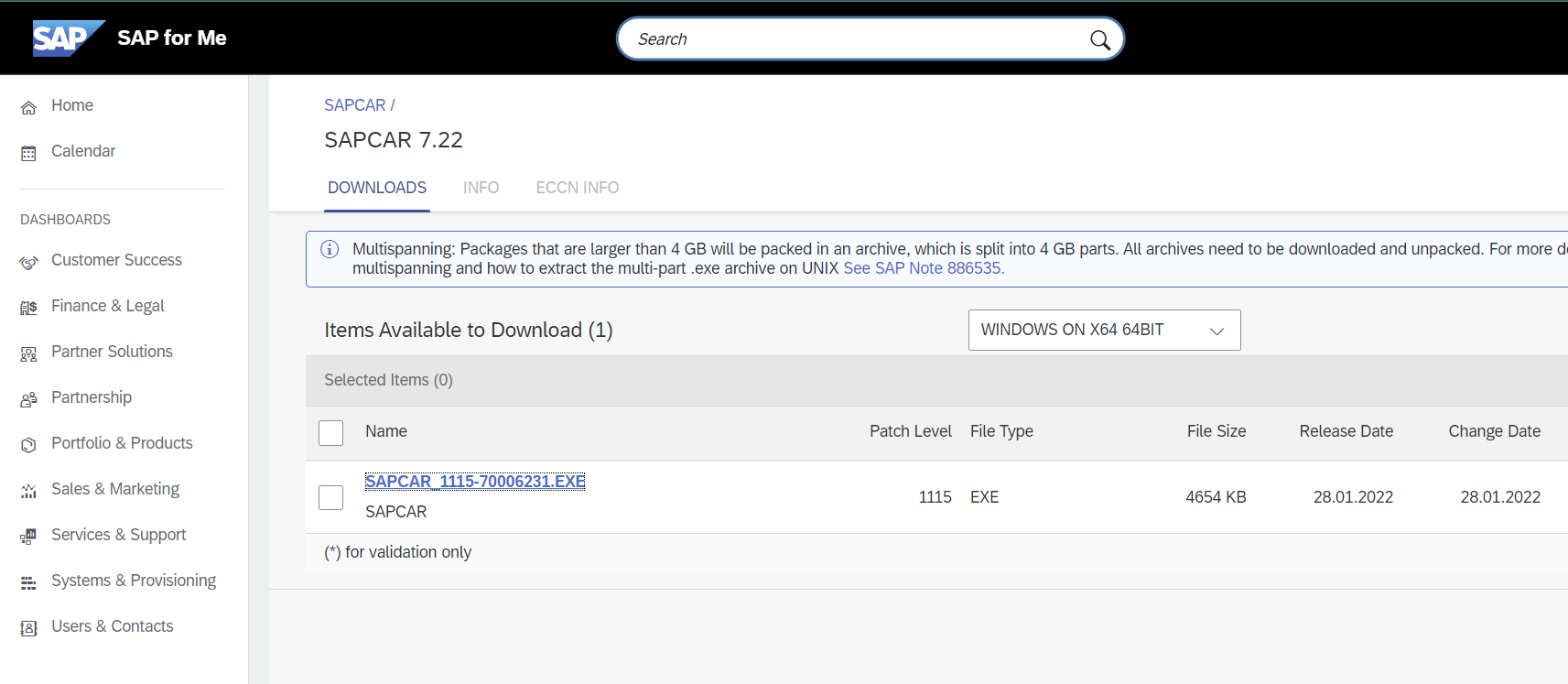
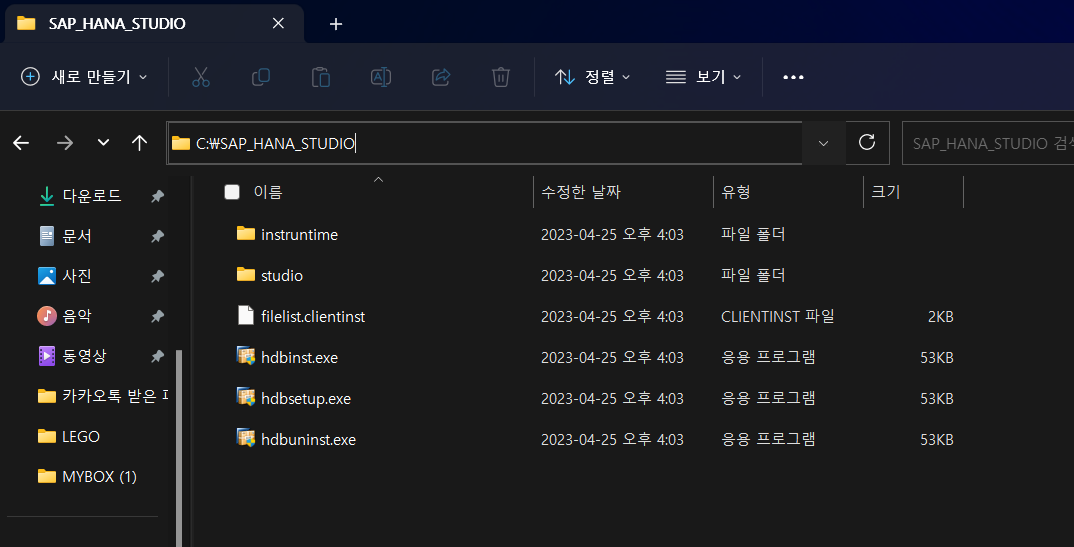
HANA STUDIO 설치 support.sap.com 접속 후 [SAP Support Potal] - [Software Downloads] 접속 Hana studio 검색 후 Windows 10에 맞는 설치 파일 다운로드 Sapcar 검색 후 OS에 맞는 설치 파일 다운로드 (sapcar는 sar 파일 압축 해제 Utility) 설치 파일 리스트 - HANA STUDIO 설치 파일 : IMC_STUDIOS2_(최신버전).SAR - SAR 파일 압축해제 도구 : SAPCAR_(최신버전).EXE
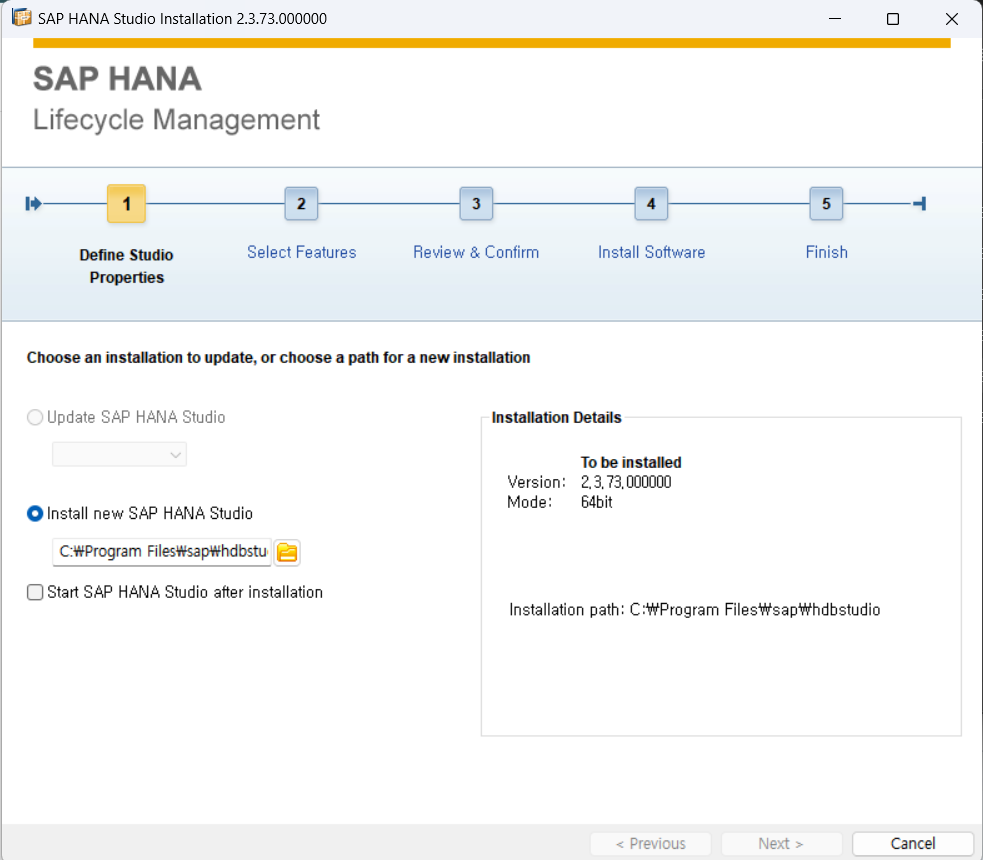
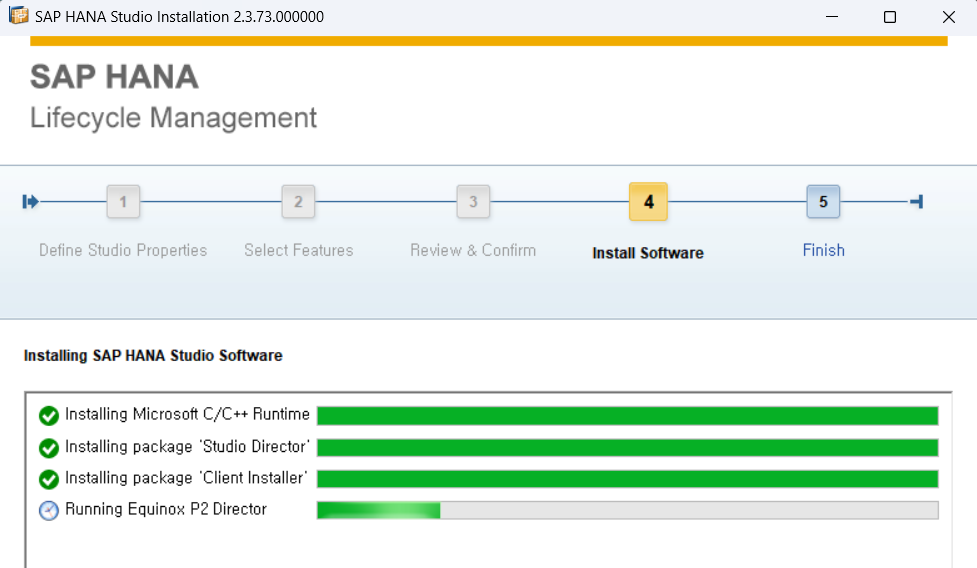
아래는 설치과정 캡처참고
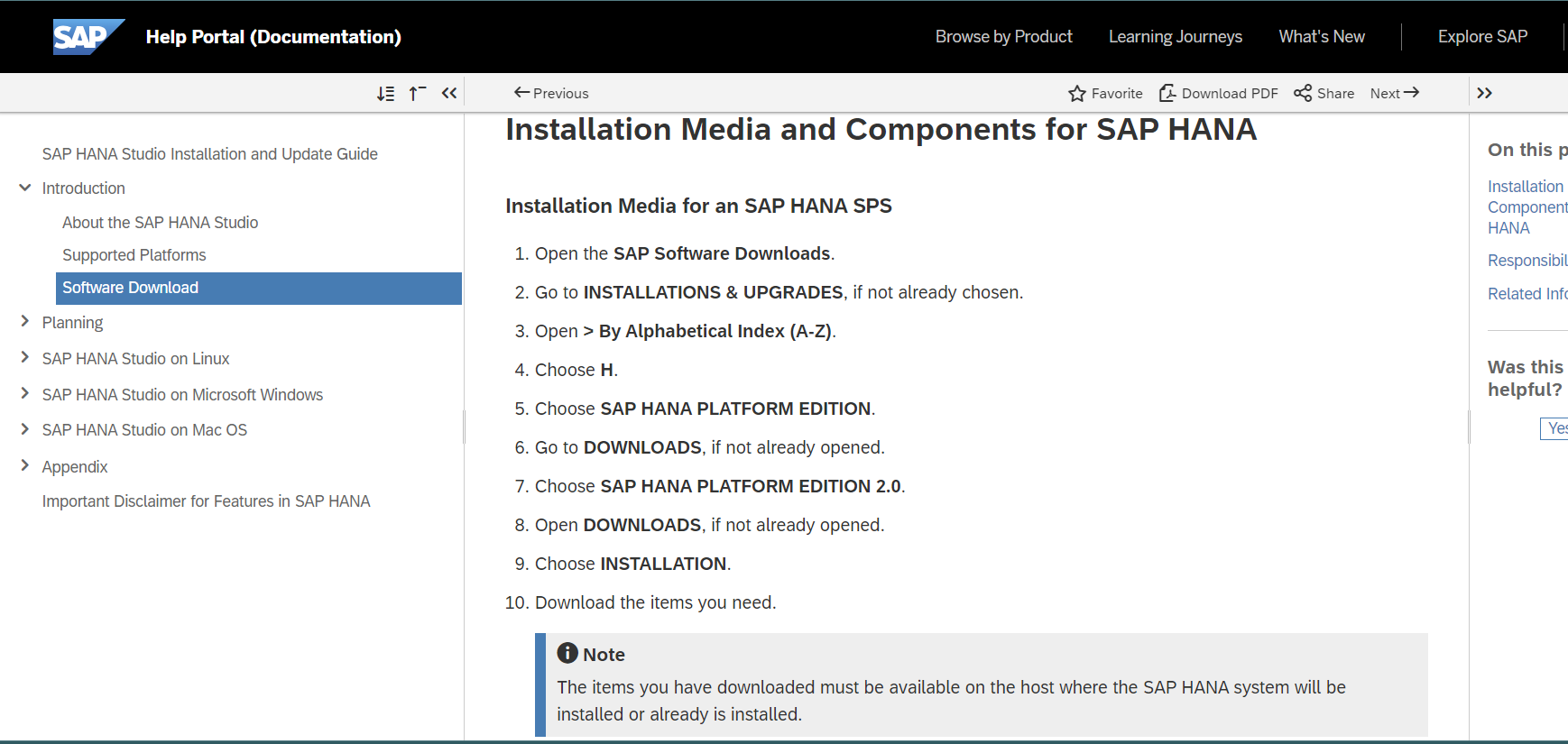
help.sap.com 에 다운로드 및 설치 방법이 안내되어 있다
HANA Studio 2 다운로드
SAPCAR 다운로드 (SAR 파일 utility)
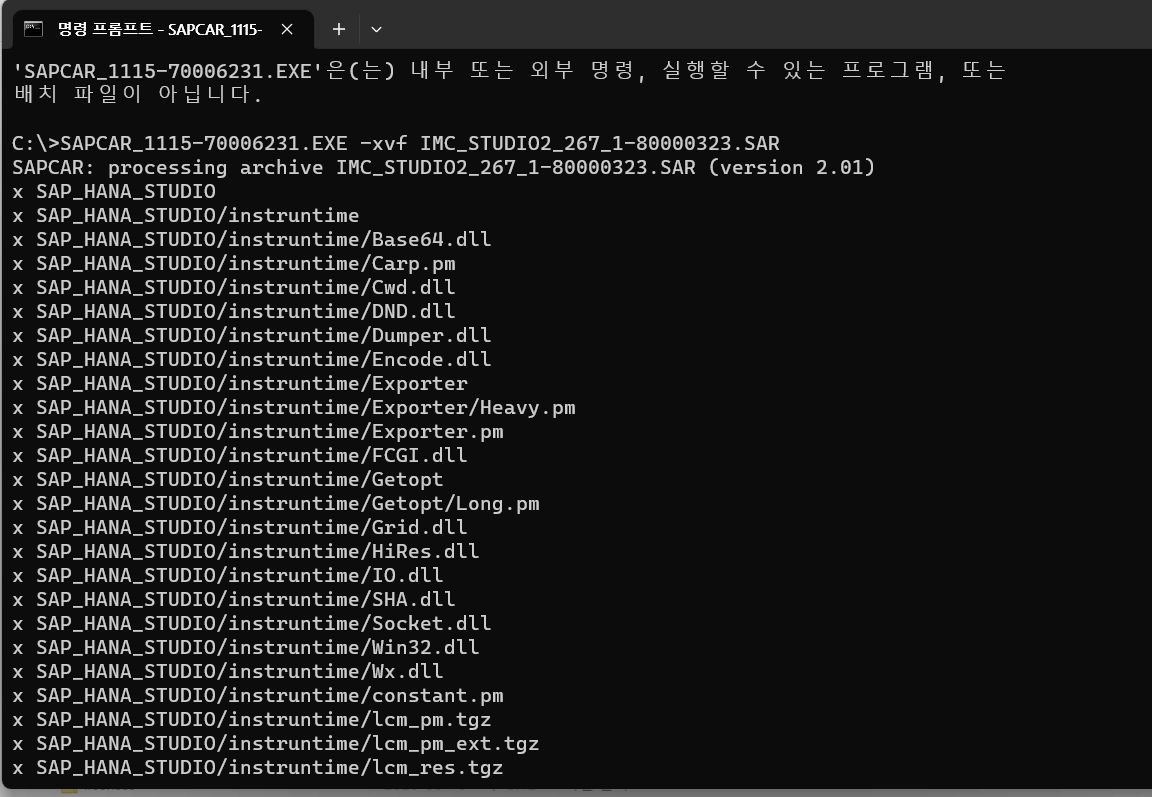
파일 동일 경로에 위치하고 압축해제 command : path>SAPCAR_XXX.exe -xvf IMC_STUDIO2_XXX.SAR
압축해제된 폴더 C:\>program files> 에 설치시 관리자권한으로 수행하지 않을경우 권한으로 인한 에러가 발생할 수 있음
hdbsetup.exe 실행하여 설치시작
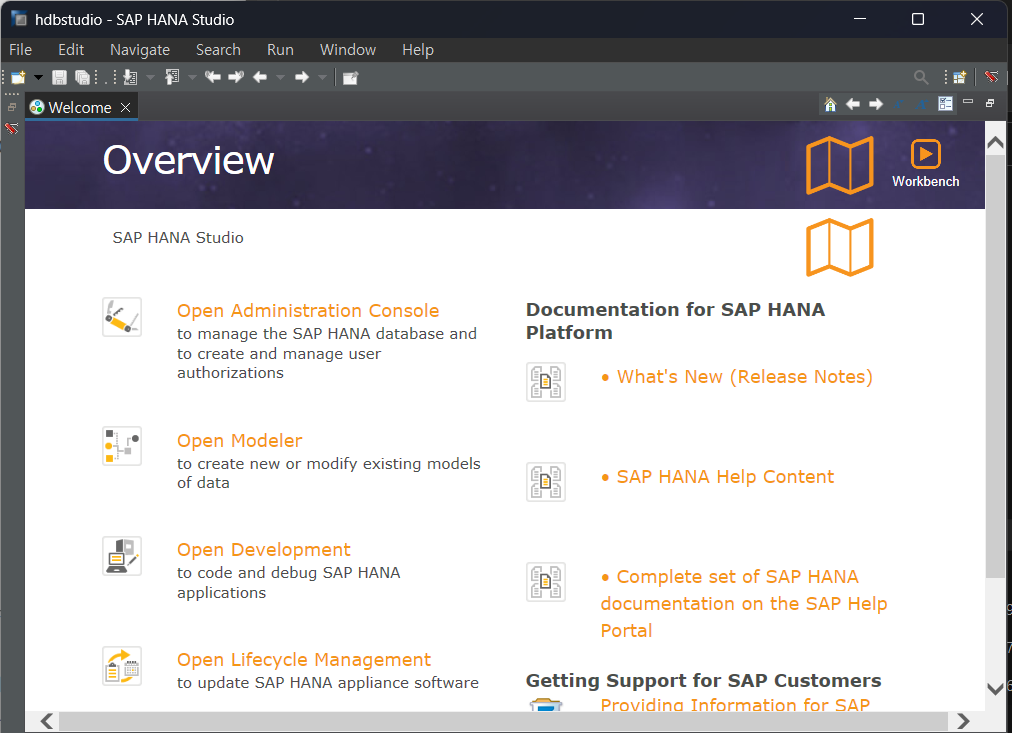
HANA Studio 가 설치되면 HANA 관련 tool 을 수행할 수 있는 상태로 eclipse + plug in 이 설치된다.
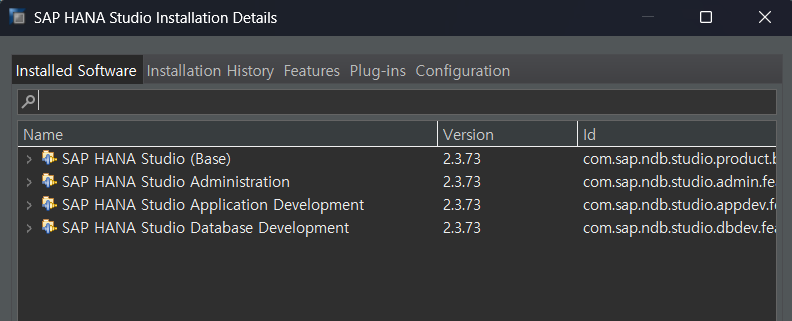
hana studio 로 기본 software가 설치된 상태
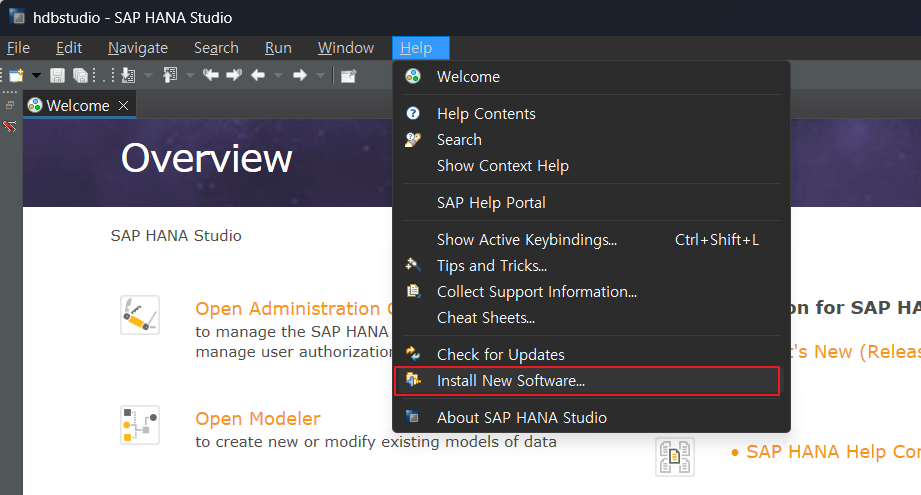
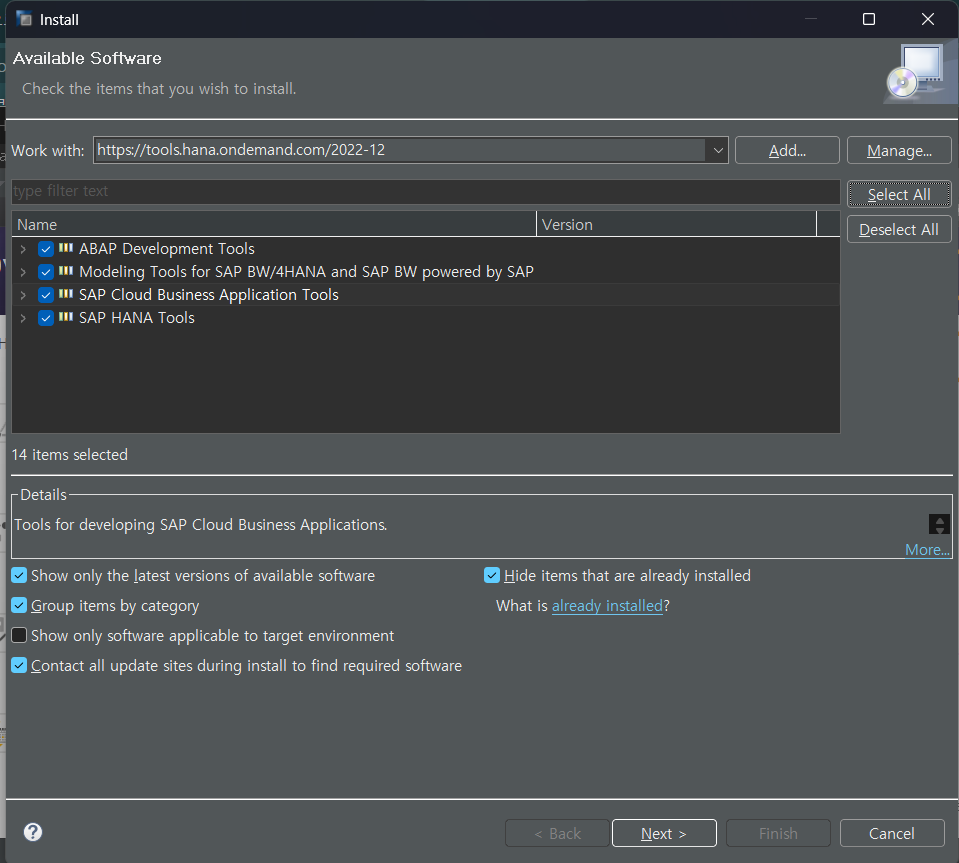
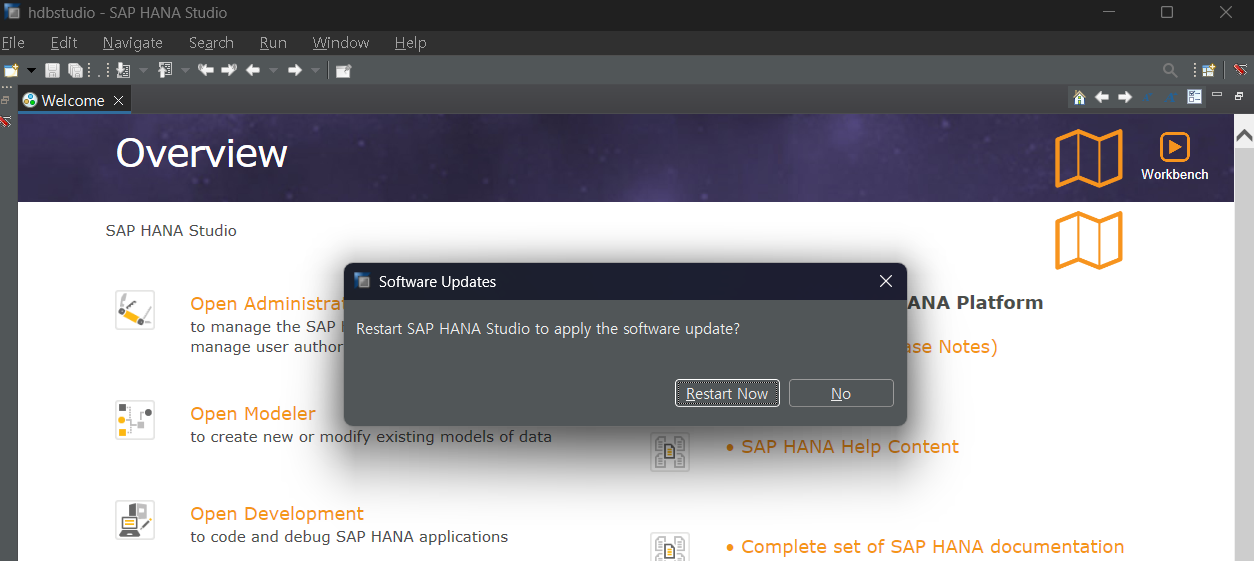
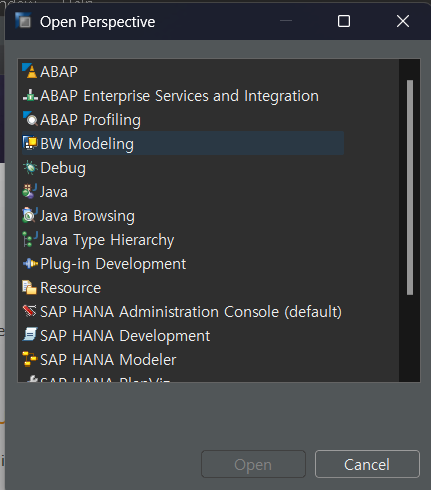
ABAP 을 개발하기 위해서는 ADT 추가 plug-in 을 설치해야 하고 그 이전에 eclipse 버전을 확인하여 버전에 맞는 plug-in을 설치해야 한다
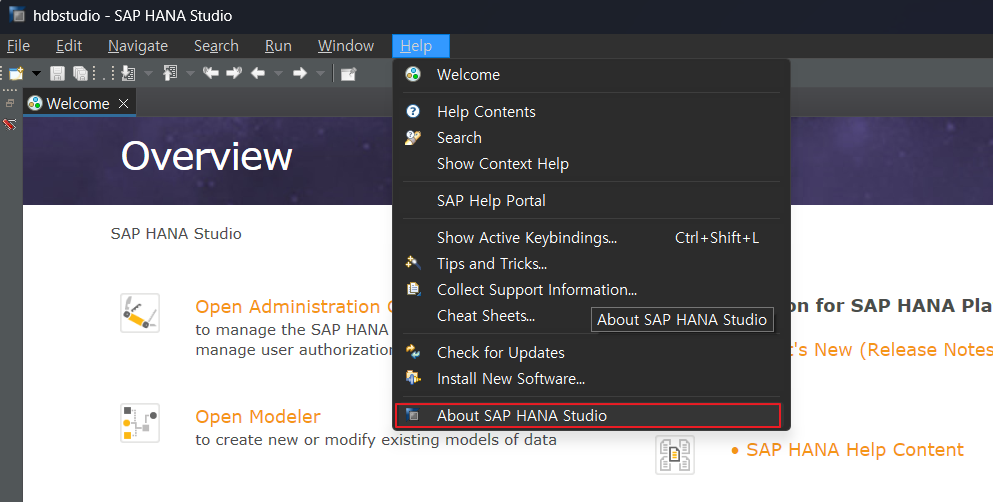
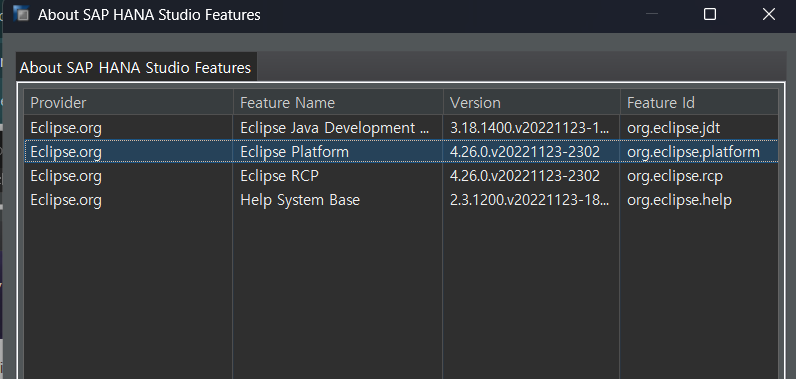
이클립스 버전 확인 아래의 경우 2022-11 버전
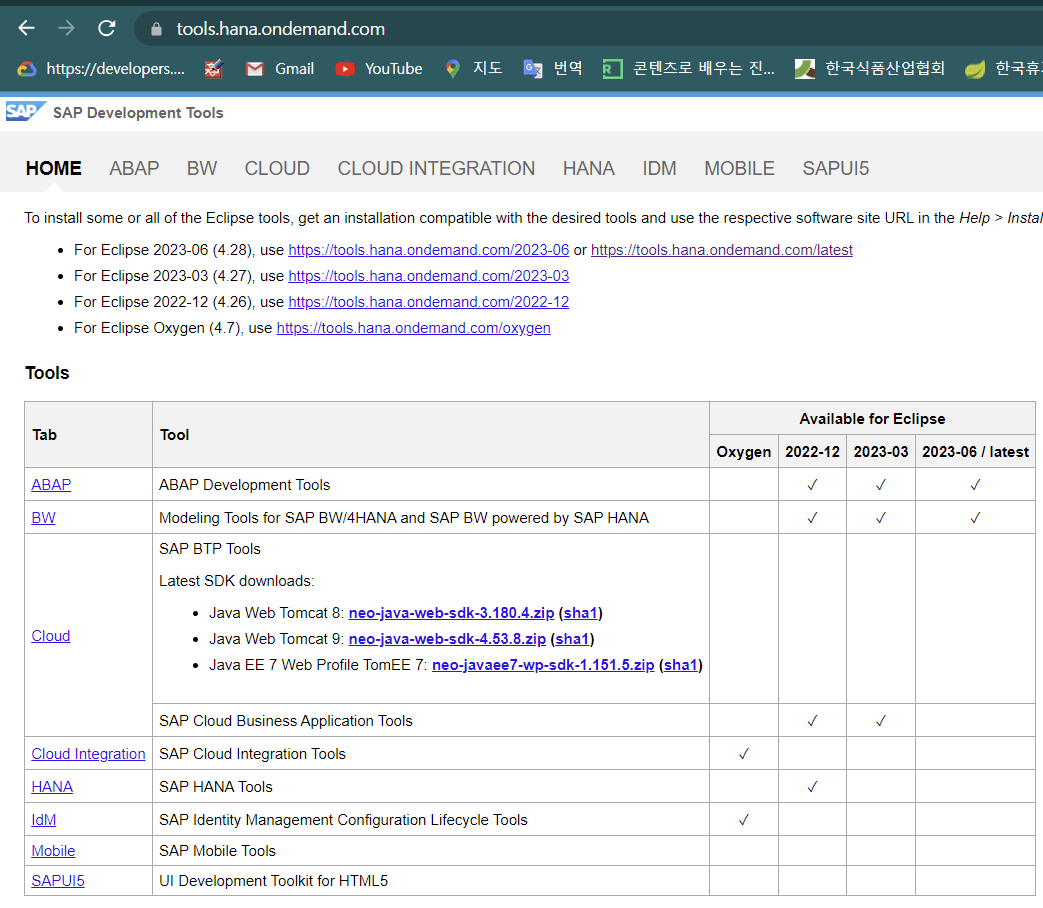
tools.hana.ondemand.com 에서 eclipse 버전별 설치가능 tool 확인
ABAP REST API (Representational State Transfer). REST-compliant Web-based services
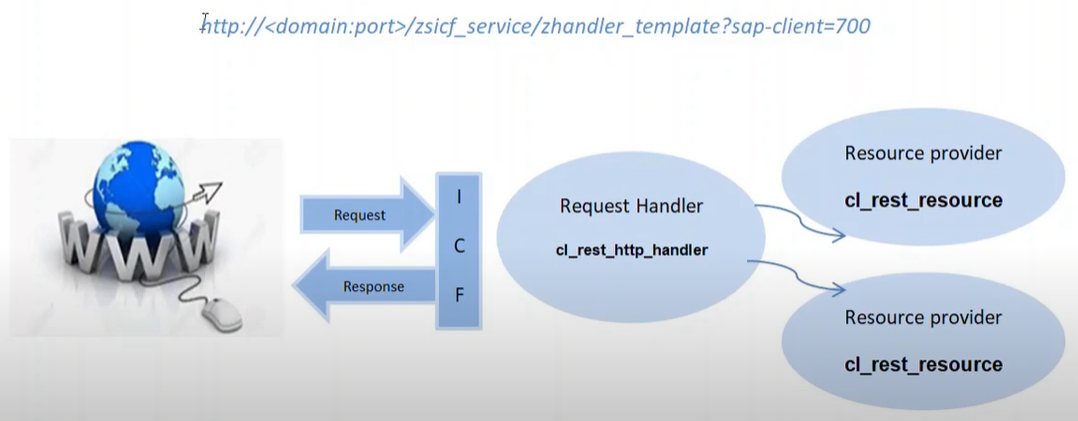
RESP API 사용 URL 포맷 http://<domain:port>/zsicf_service/zhandler_template?sap-client=100¶=...
개요 WWW -> Request -> ICF -> Request Handler : cl_rest_http_handler -> Resource provider : cl_rest_resource -> Response 웹에서 ABAP REST API 를 호출하여 SAP 웹서비스를 제공
The HTTP protocol is used for communication
The REST interface is designed as part of the Internet Communication Framework (ICF) that controls HTTP communication in the AS ABAP (T-code for ICF - SICF)
Routing of HTTP requests to different services and resources depending on the specified resource paths
Support of multiple text formats, such as, XML, JSON, plain text, HTML.
Step : REST API in SAP 생성
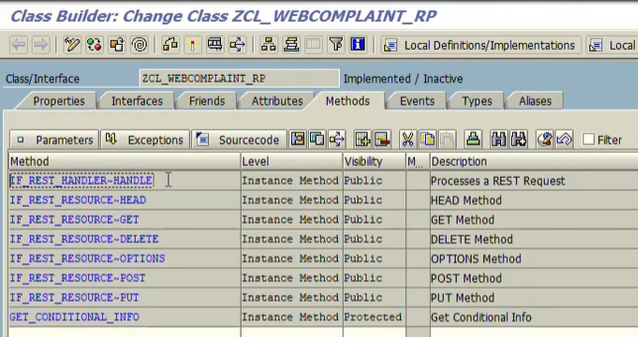
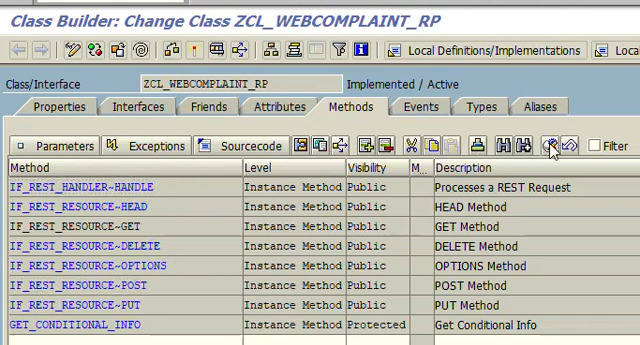
cl_rest_resource 를 상속하여 클래스를 생성하고 get, post, put, delete 등의 메소드를 구현한다.
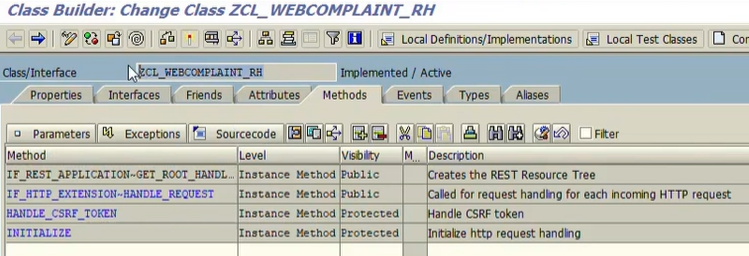
cl_rest_http_handler를 상속하여 클래스를 생성하고 get_root_handler 메소드와 리소스클래스에 대한 라우터를 구현한다.
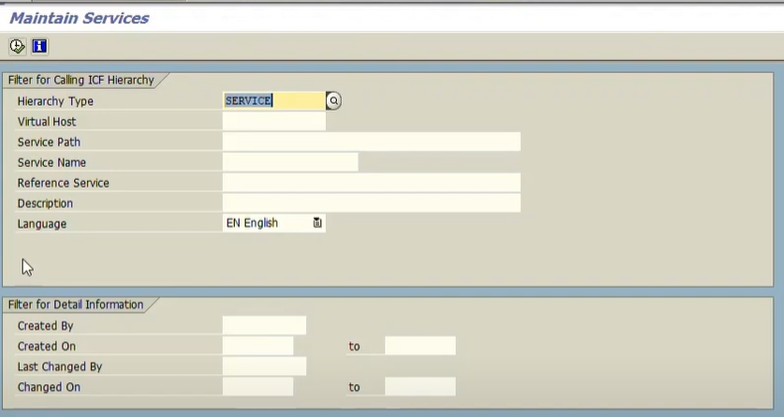
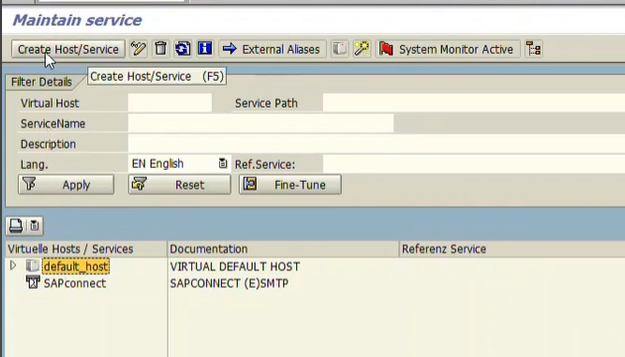
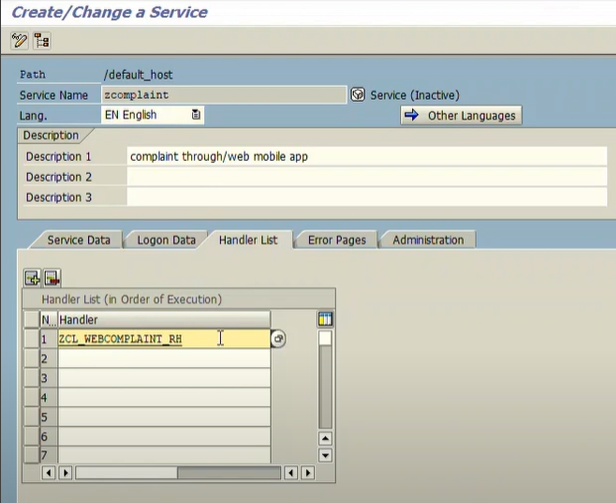
SICF 서비스를 생성하고 생성된 handler 클래스에 추가한다.
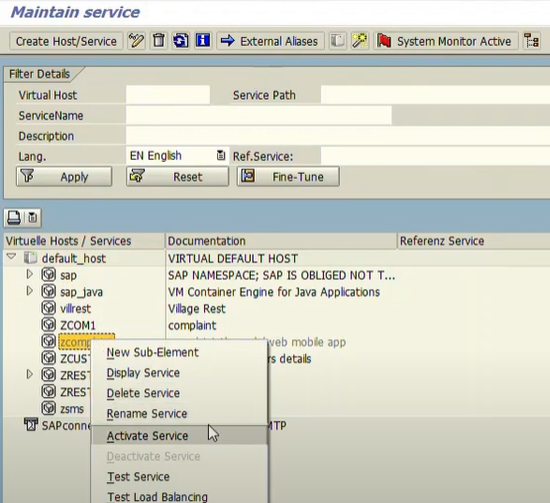
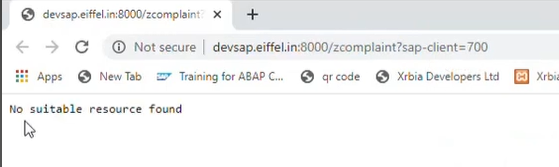
acivate 하고 테스트
샘플예제 시나리오 : 고객불만사항을 web 서비스로 접수하여 저장하고, 상태값을 조회하는 서비스
Development approach
테이블 생성
SNRO로 고객불만사항ID 생성
resource class 생성후 get/post 메소드 구현
request handler 클래스 생성
SICF 서비스 생성 및 active
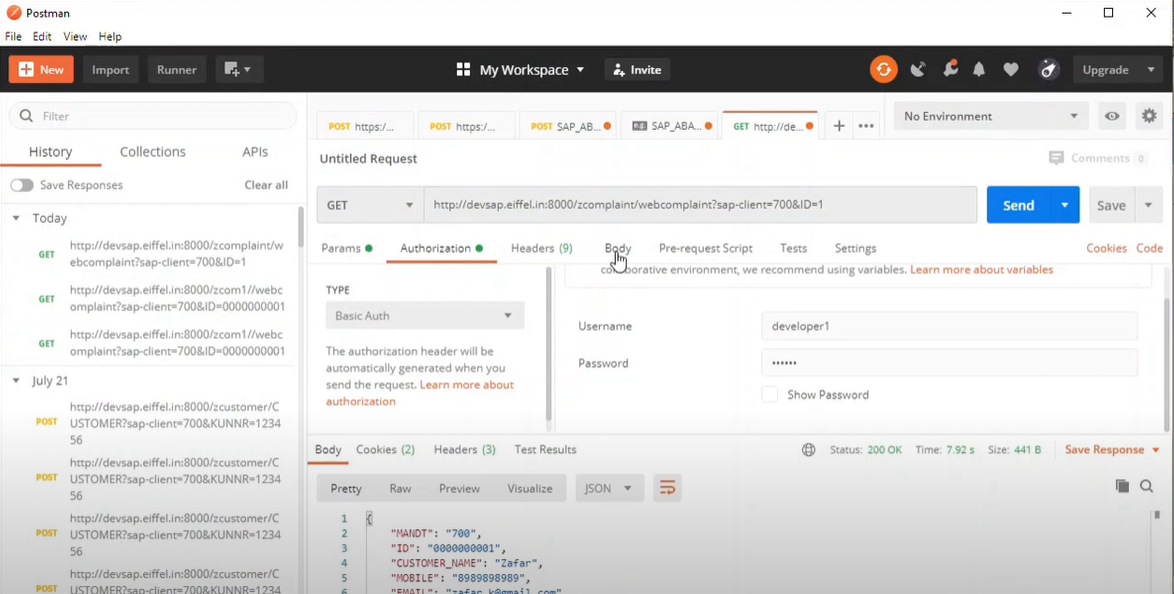
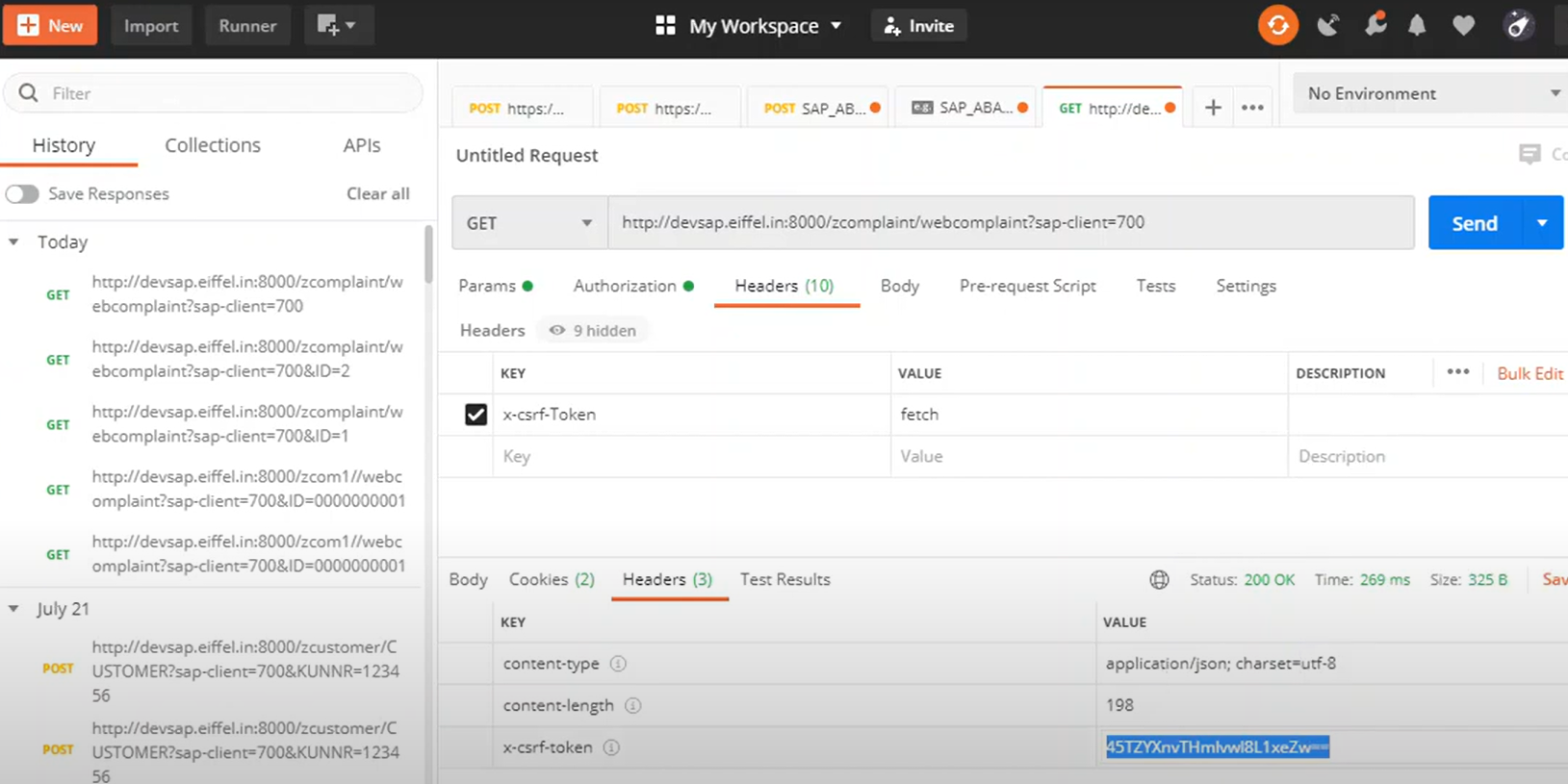
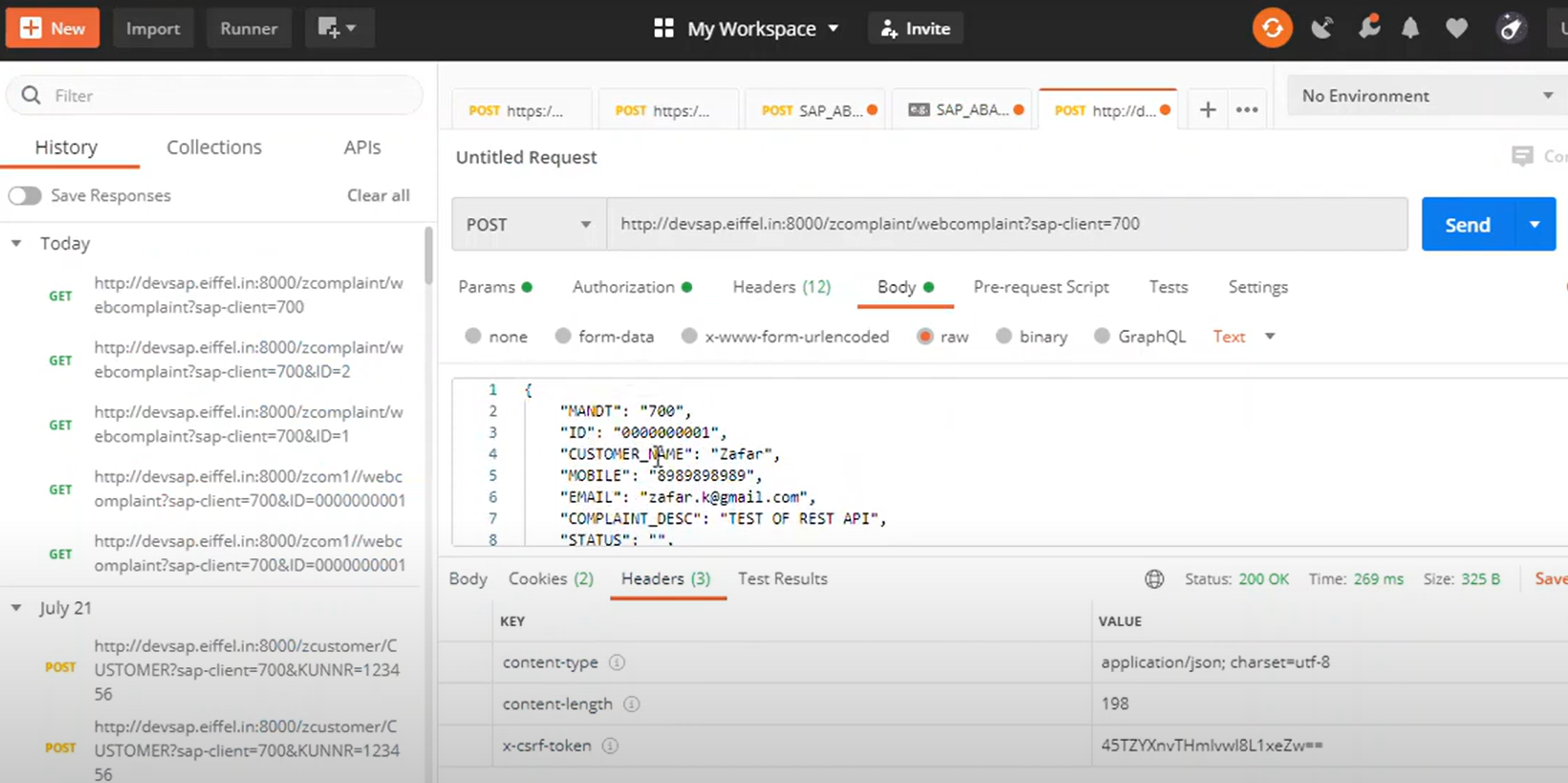
postman을 활용한 테스트
ZCL_WEBCOMPLAINT_RH 클래스 생성 (cl_rest_http_handler 상속)
method IF_REST_RESOURCE~GET. data: lv_string1 type string, lv_string2 type string, gs_complaint type ZREST_COMPLAINT.
lv_string1 = mo_request->get_uri_query_parameter( iv_name = 'ID' ). select single * from zrest_complaint into corresponding fields of gs_complaint where id = lv_string1. /UI2/CL_JSON=>SERIALIZE( EXPORTING DATA = gs_complaint RECEIVING R_JSON = lv_string2 ).
CLASS lcl_test DEFINITION.
  PUBLIC SECTION.
    CLASS-METHODS:
      func_meth
        IMPORTING
          i_param TYPE i
        RETURNING
          VALUE(r_res) TYPE char1.
ENDCLASS.

l_res = lcl_test=>func_meth( 1 ).

* you could also call it like this
l_res = lcl_test=>func_meth( i_param = 1 ).

* also this variant is possible
l_res = lcl_test=>func_meth( EXPORTING i_param = 1 ).

* the traditional CALL METHOD syntax would be like this
CALL METHOD lcl_test=>func_meth
  EXPORTING
    i_param = 1
  RECEIVING
    r_res = l_res.
load_picture_from_url method 를 사용하여 screen 에 이미지를 출력한다 이미지가 화면에 나타나지 않는 경우가 있는데 아무리 구글링을 해봐도 로컬에 있는 이미지파일을 sap 에 업로드하고 create url function을 사용해 조회하라는 가이드밖에 찾지 못했다 내 상황은 이미지서버가 별도로 존재하여 그 많은 이미지파일을 다 업로드 할수가 없었다 비슷한 async 도 사용해보고 flush 도 다 해봤지만 별수가 없었다 결국 원인을 찾았는데 sapgui 730 버전에서 이미지조회가 불안정했고 740 버전에서 잘 나타났다 이런 버그패치는 잘 알려졌으면 좋겠는데... 몇일을 고생한것보다 원인을 찾았음에 더 기쁘다 패치 배포해보면 확실히 밝혀질듯
SAPGUI 730 -> SAPGUI 740 패치후 이미지 파일이 나오지 않는 문제가 해결되었다.
역시 패치문제였던 것이다. 추가영향성분석이 끝나는대로 배포할 계획 ㅎ
이외 유용한 참고 http://abap-explorer.blogspot.kr/2008/08/html-through-abap.html?m=1